



Support@Nostalgiclab.de
Back to the Classics

Experience the Magic of True Retro Gaming
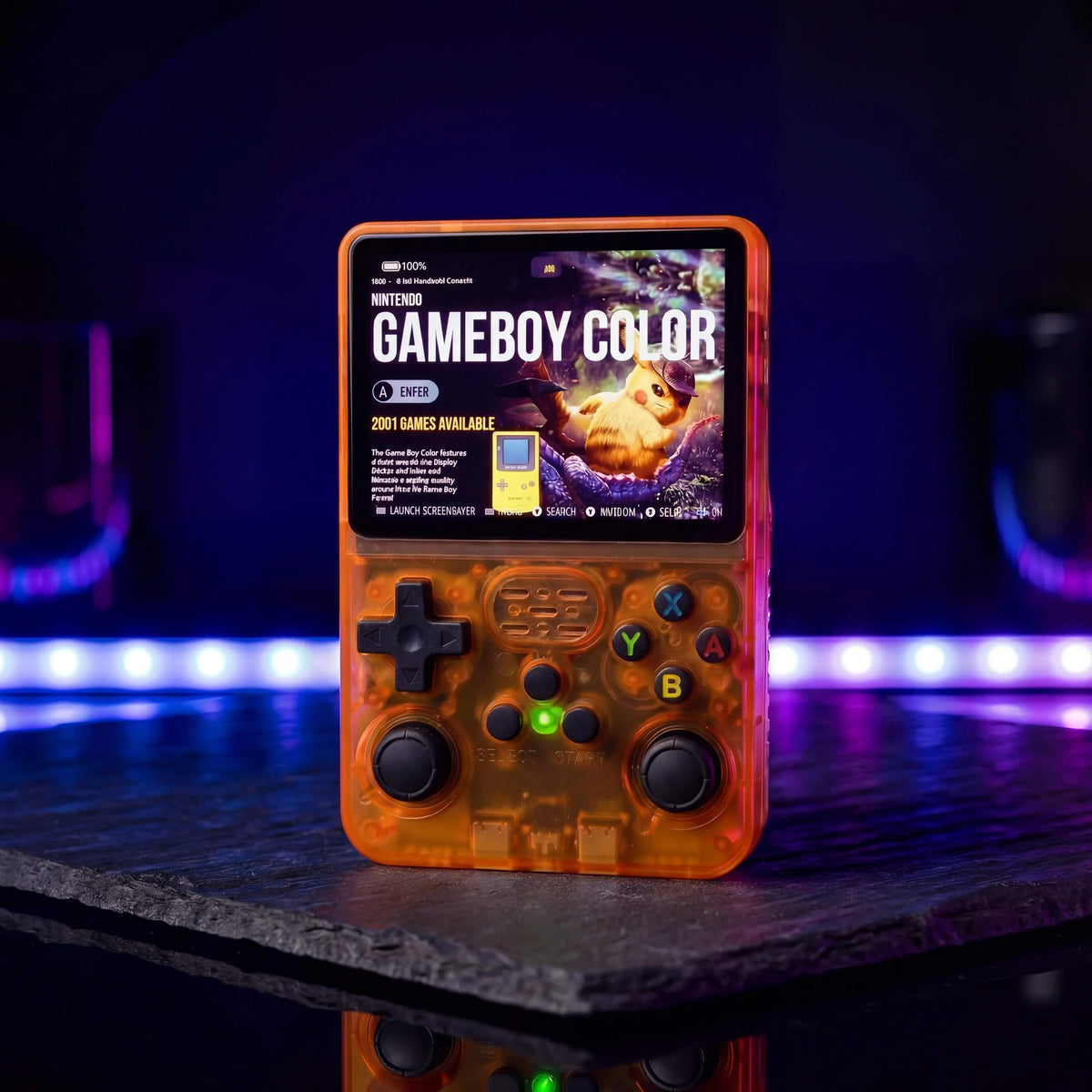
Relive the glory days of gaming with an all in one experience supporting 20 classic consoles. Rediscover the era that made gaming legendary.
Pure nostalgia, pixel by pixel.
Whether you're returning to old favorites or discovering these classics for the first time, Pixel Boy brings the golden age of gaming back to life, with endless fun at your fingertips.

Crisp Pixels. Smooth Action. Pure Nostalgia.
Experience your favorite retro games like never before on the crystal clear 640×480 HD IPS display, compact, vibrant and true to the original style.
Powered by a powerful Quad Core 64 bit 1.5GHz processor and Mali G31MP2 GPU, Pixel Boy delivers smooth, responsive performance.

Buttons & Joysticks
Designed for retro gaming, Pixel Boy features responsive buttons and precise joysticks for comfortable, intuitive control.
Feel the difference in every game with responsive controls and precise input. Everything you need to stay immersed and in control.
-

20,000+ Nostalgic games
-
Relive your childhood again
-
Easily save your progress
-
Perfect on the go
Everything changes, but the feeling of those days remains
01
/ 05


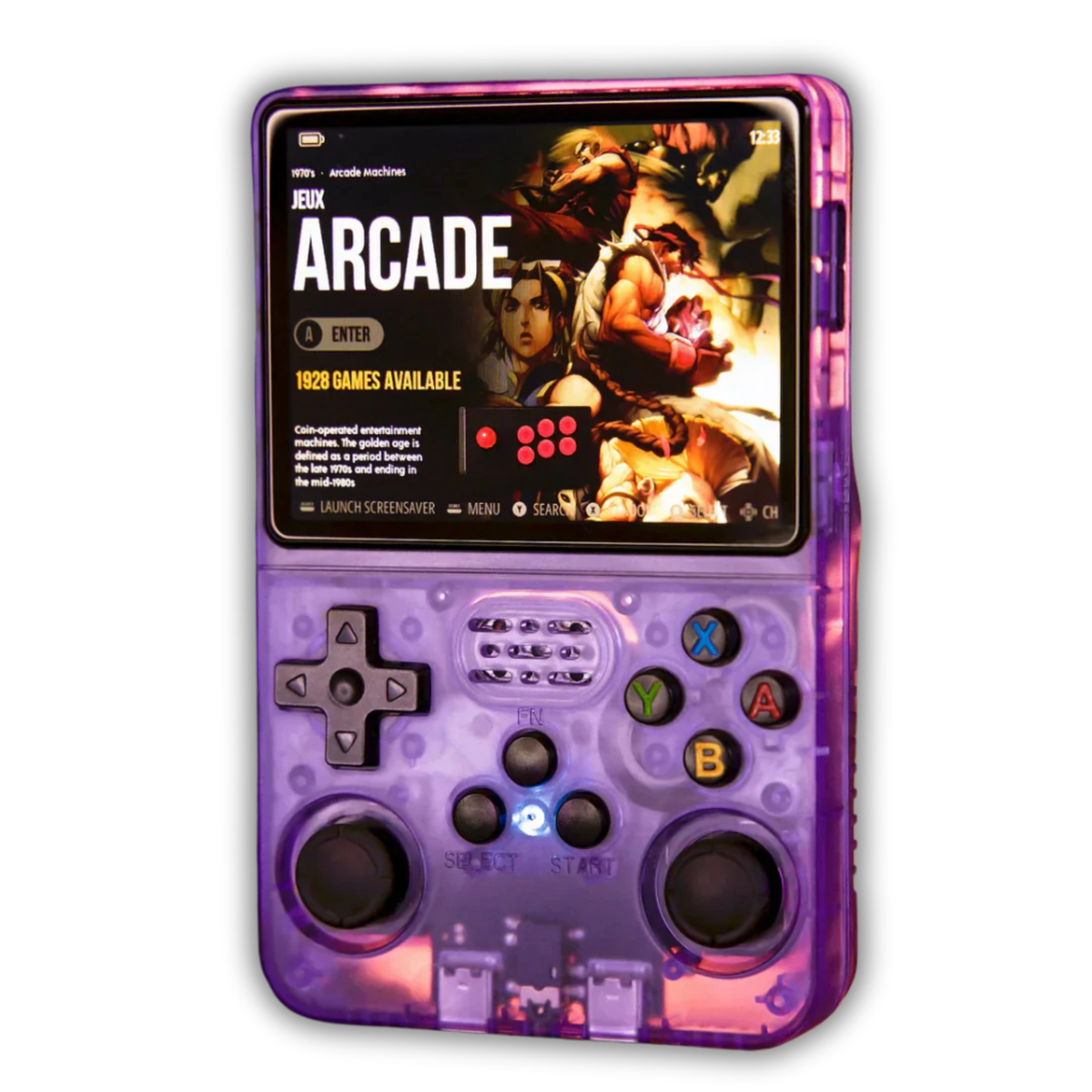
Crystal Clear 640×480 IPS Display
Play your favorite retro games in crisp quality. The 3.5” display delivers vibrant, smooth visuals in the original 4:3 aspect ratio, with no awkward borders or distortion.
Responsive Controls, Classic Feel
The Pixel Boy combines a classic D pad with modern analog sticks for ultimate control. Every button is precisely tuned for smooth, responsive input with no noticeable lag.
Frequently Asked Questions (FAQ)
Yes, you can save your progress at any time using the quick menu. Press Select + X simultaneously or hold L3/R3 to open the menu. Then select “Save State” to save your progress.
To continue where you left off, select “Load State.” You can also enable automatic saving via “Saving” in the settings menu.
Yes, with a WiFi dongle you can connect two consoles to trade Pokémon or play multiplayer games.
No, you don’t need disposable batteries. Simply charge the console using the included USB C cable.
A fully charged battery lasts approximately 6 to 8 hours, depending on the game you’re playing.
No. The Pixel Boy works completely offline, so you don’t need an internet connection or updates to play. Perfect for traveling or playing on the go!
Yes! The Pixel Boy has an AUX port for standard earbuds or headphones with a jack connection.
You can also use the USB C port for audio with compatible USB C headphones or adapters.
Yes, the Pixel Boy is suitable for all ages. The library includes plenty of family friendly games, and parental controls can be used to restrict access to certain titles.
The Pixel Boy supports more than 20 retro platforms, including:
NES, SNES, Game Boy, Game Boy Color, Game Boy Advance, Sega Genesis/Mega Drive, Sega Master System, PlayStation 1, N64, Neo Geo, Arcade (MAME) and many more.
DS games normally use two screens. On the Pixel Boy, you can easily switch between them using the L2 and R2 buttons on the back.
This lets you switch between the top and bottom screen whenever needed. It may take a little getting used to at first, but quickly becomes intuitive.
WHAT'S INCLUDED?
Everything you need to start playing:
• 1× Pixel Boy
• MicroSD card with your chosen storage capacity (64GB or 128GB)
• USB C charging cable
• Quick start guide
Your Pixel Boy arrives fully set up and ready to play. Just unbox it and start gaming.
1 YEAR WARRANTY
Every Pixel Boy is covered by a 1 year warranty against manufacturing defects under normal use.
If you experience any issues, contact us with your order number and a photo or short video. After reviewing the issue, we will provide a replacement or a suitable solution.
Damage caused by accidents, water, improper use, modifications or normal wear and tear is not covered by the warranty.


And we’re just getting started!

Worldwide
Support@Nostalgiclab.de
And we’re just getting started!
Worldwide
